Your agent builds the funnel. You see which path made money.
Pages written by Claude Code or Codex, sales through your own Stripe, and a funnel that learns what wins, from ad spend to revenue.
Nothing goes live without you. Agents write drafts; you publish.
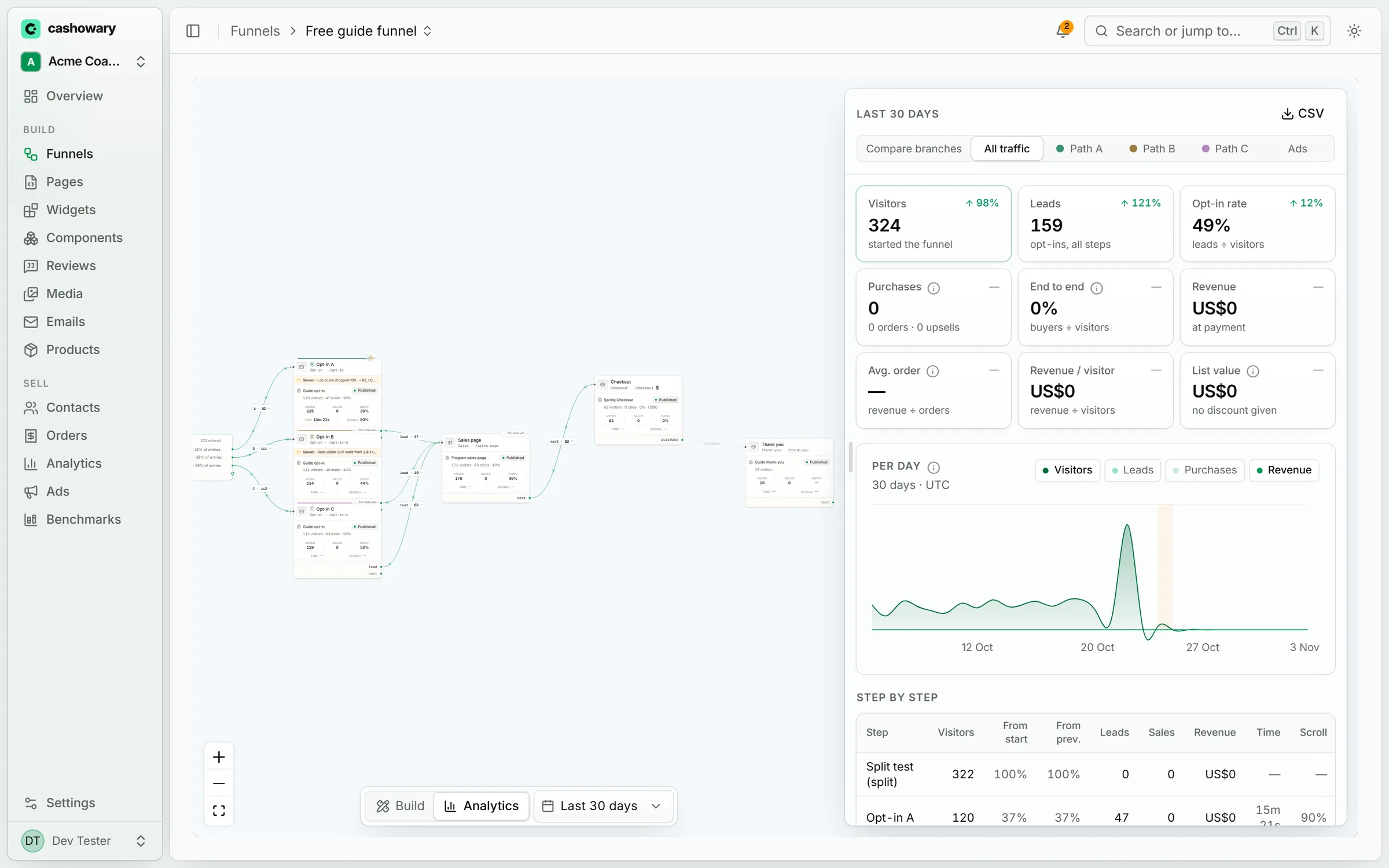
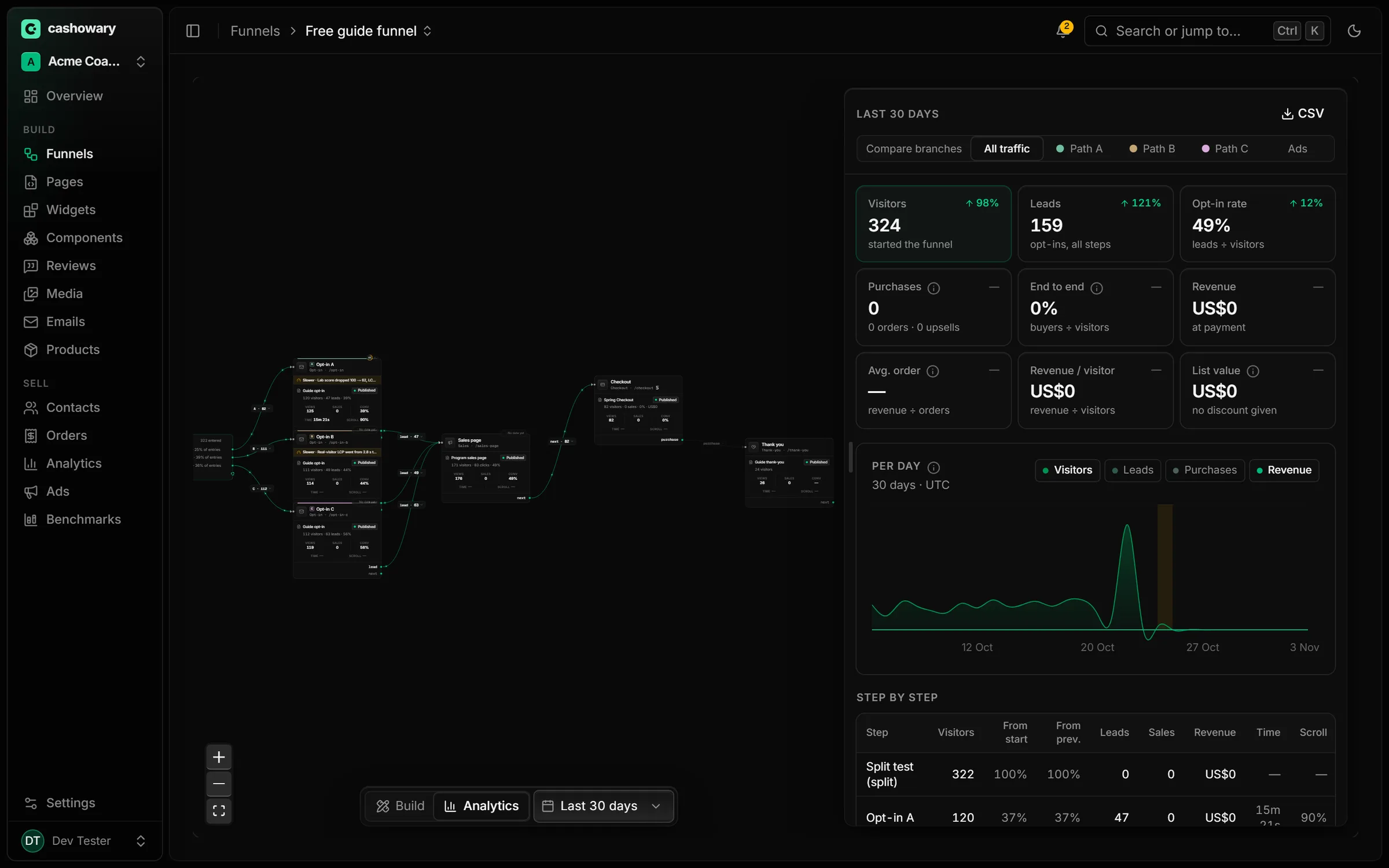
A real funnel in Analytics mode: every dot is traffic moving between steps.
How it works
Write it with your agent. Sell it through your Stripe. Keep what wins.
- 01
Your agent writes the pages
Claude Code or Codex builds each page as real code over our MCP server, checks screenshots of its own work, and leaves it as a draft. Or write it in the app's editor.
- 02
You sell through your own Stripe
Every client connects their own Stripe account and the money lands there. Prices are set on the server from IDs, never in page code.
- 03
It learns what wins
Each page, component and path is scored on revenue, not clicks. A signal shows early; it only reads 'proven' after a controlled test with enough visitors and time behind it.
Funnel canvas + analytics
See the whole path, and where people leave it.
Every step of the funnel on one canvas: visitors flow along the edges, and each step shows its conversion, time on page and scroll depth.
- Split tests compare whole paths, opt-in to checkout to upsell, by revenue per visitor
- Time on page and scroll depth on every step, so you know if the copy was read
- Speed on every step, next to its conversion rate
Speed on every step
Every 100 ms costs sales. We time every step.
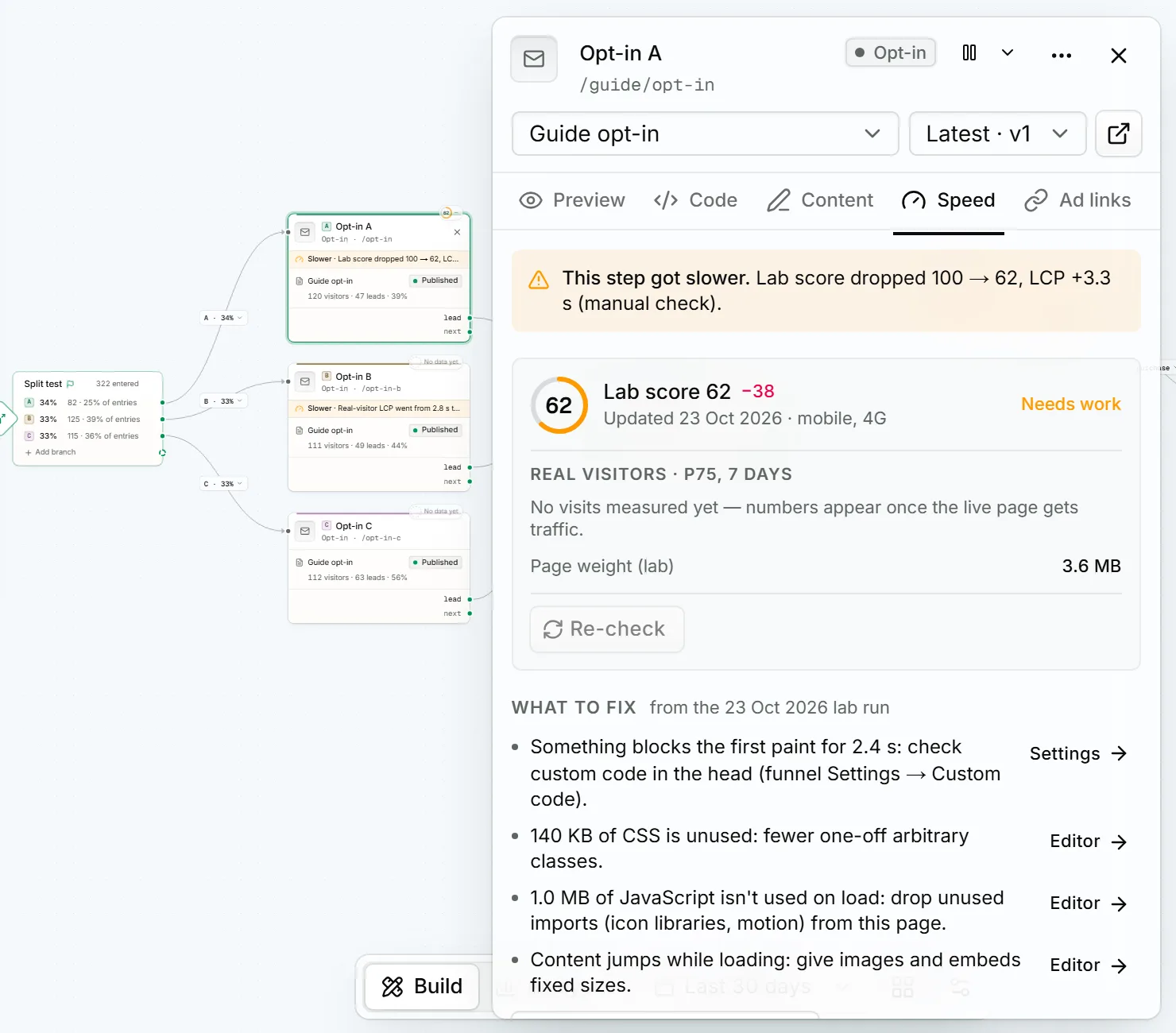
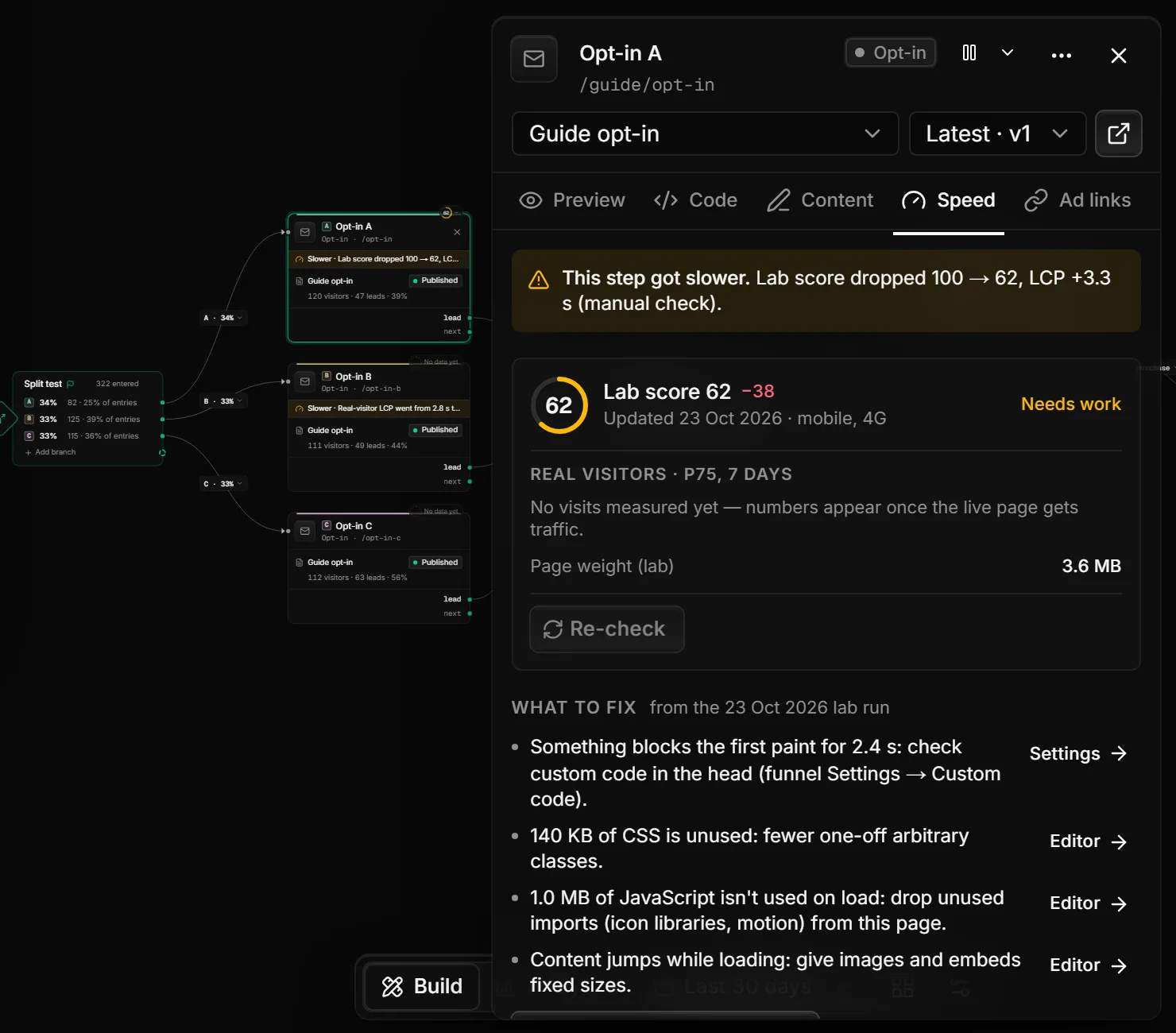
Amazon famously found that every 100 ms of delay cost it about 1% of sales. So every node on the canvas carries its own speed: a lab score, real visitors' load times, and a flag the moment a publish makes it slower.
- Lab score and real-visitor load time (p75) for each step, not just the home page
- A step that got slower is flagged on the canvas, with the before and after
- What to fix in plain words, linked straight to the setting or the editor
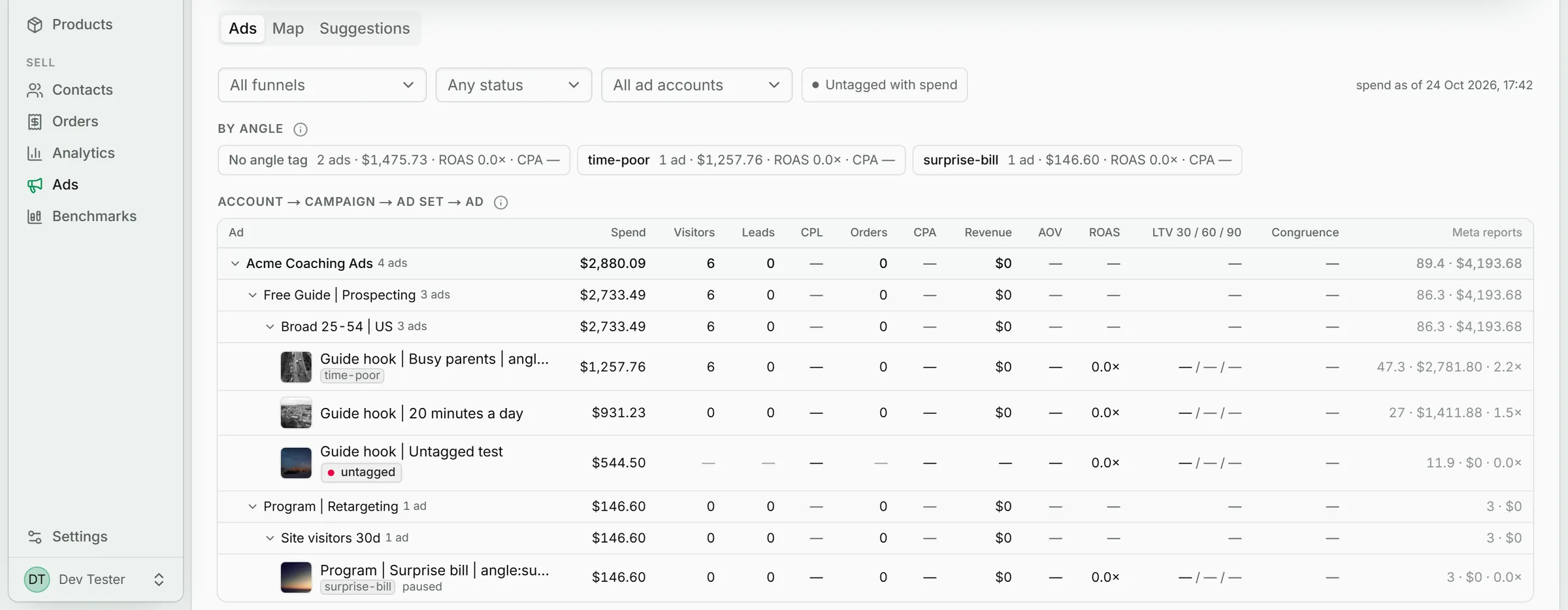
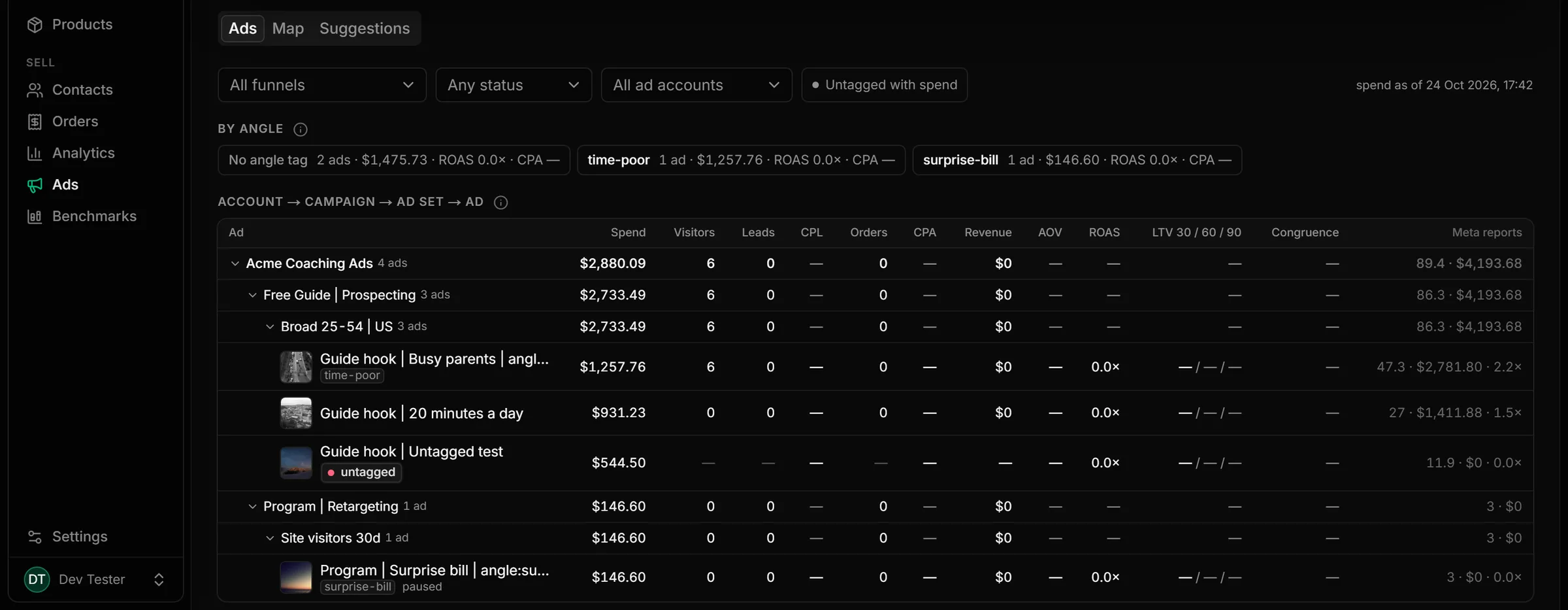
Ads → page
From ad spend to revenue, path by path.
Meta spend is joined to what each funnel path actually sold, upsells included. And every ad is checked against the page it lands on.
- True path ROAS: spend, revenue and return for each ad and each split branch
- Congruence check: flags an ad that promises one thing while its page leads with another
- Meta Pixel and Conversions API sent from the same write that records the sale, deduplicated
Widgets + component library
Reuse the pieces that sell. Retire the ones that don't.
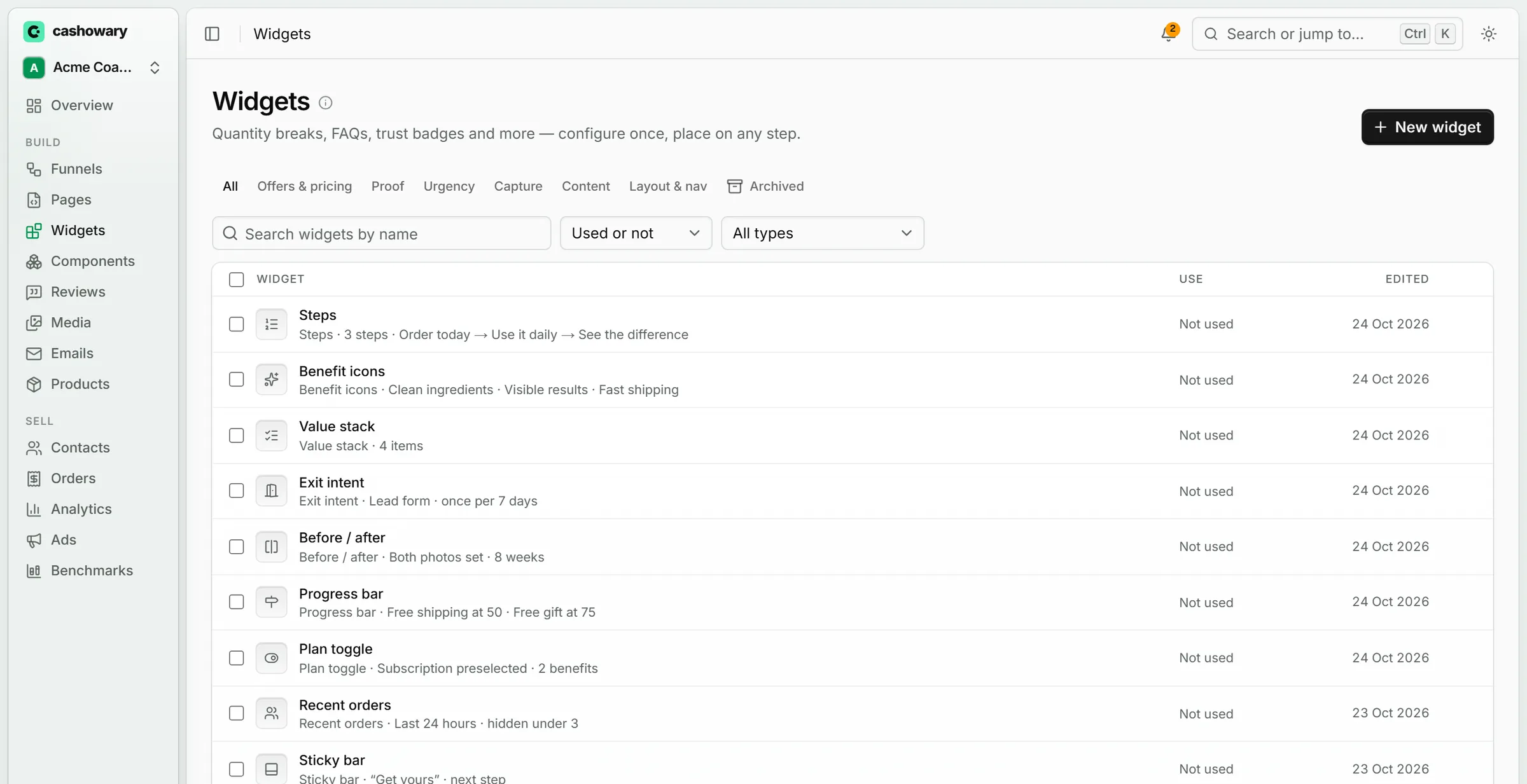
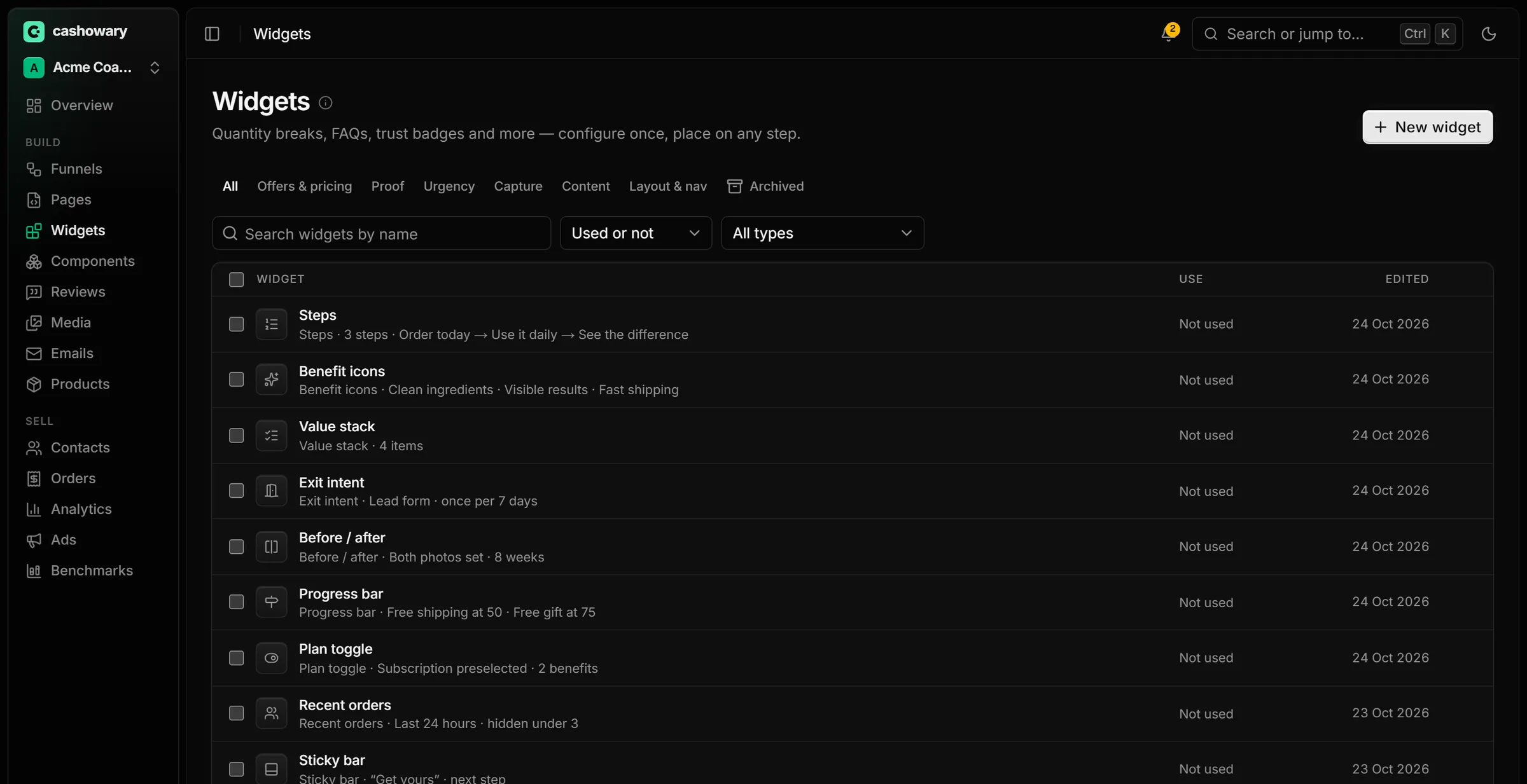
Quantity breaks, FAQs, trust badges and countdowns are widgets you configure once and place on any step. Page sections become components your agent can reuse, each scored on the visitors who actually saw it.
- Signal first: likely helping, unclear or likely hurting, always with the visitor count
- Proven only after a controlled test, so a lucky week doesn't crown a winner
- Brand kit restyles every page, widget and component at once
Built by AI, in real code
No drag-and-drop. Every page is real code.
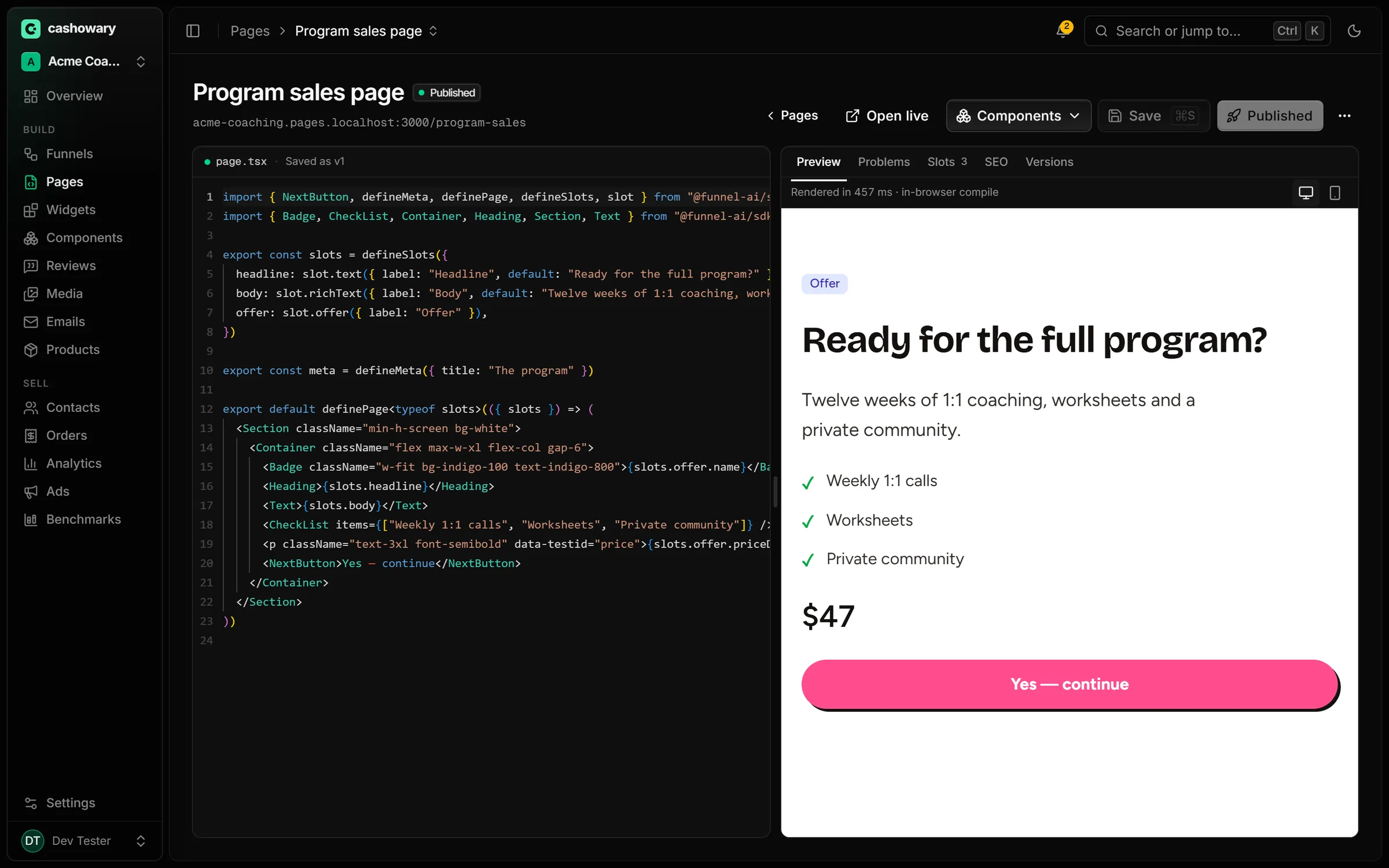
Your agent writes each page as a React file, so it can build anything a normal website can. Connect Claude Code or Codex in one line, or edit the code in the app.
- No blocks, no templates you can't escape: quizzes, sliders, quantity tiers, custom checkouts
- Your agent reads your brand, offers and results, and checks screenshots of its own work
- Edit the code yourself in the app, with a live preview beside it
claude mcp add --transport http cashowary http://localhost:3000/api/mcpAgents write drafts. A person reviews and publishes in the app.
What agents can do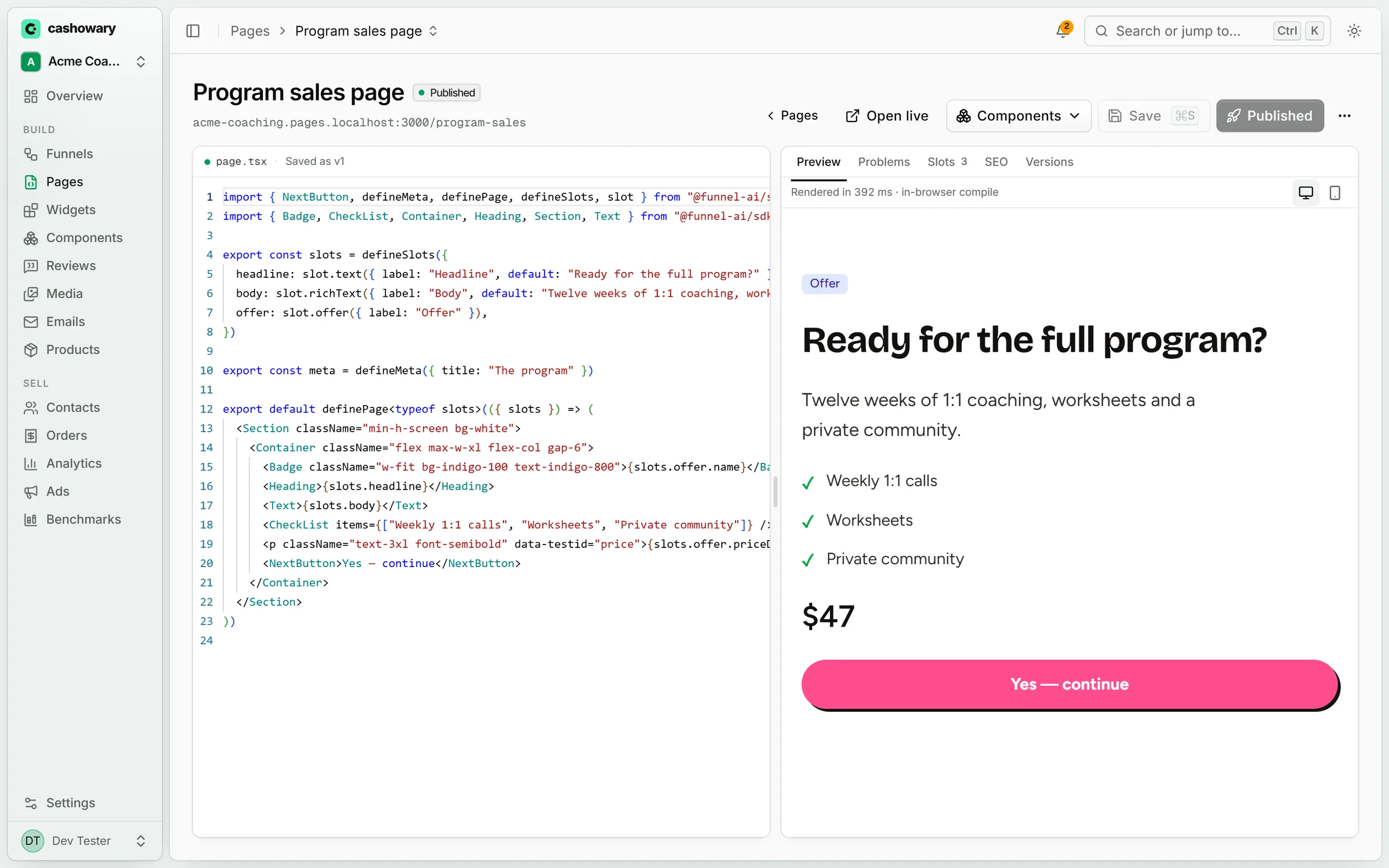
Who it's for
Built for people who buy traffic and sell online.
Coaches
Application funnels, webinars and high-ticket checkouts, written by your agent in your brand.
Info products
Courses and memberships with order bumps and one-click upsells, measured to the last pound.
DTC brands
Quantity tiers, quizzes and advertorials for paid traffic, with ROAS per path rather than per click.
Agencies: run every client in its own workspace, with its own Stripe and brand.
FAQ
Questions, answered
Do I need to write code?
Which AI agents work with it?
Can an agent publish a page or take payments?
Whose Stripe account takes the payment?
How is 'proven' different from a normal A/B test result?
Which ad platforms are supported?
Let your agent build the next funnel.
Start free, connect your Stripe, and publish when you're happy. Dangerous to your competitors. Delightful to your customers.